
Integrations
Google Drive Integration: Share Docs with Backdrop
Share product docs, battlecards, and case studies from Google Drive so Backdrop can reference them during live sales calls. Read-only viewer access.
Get Your Service Account Email
- Request your service account email from your sales rep
Add Permissions
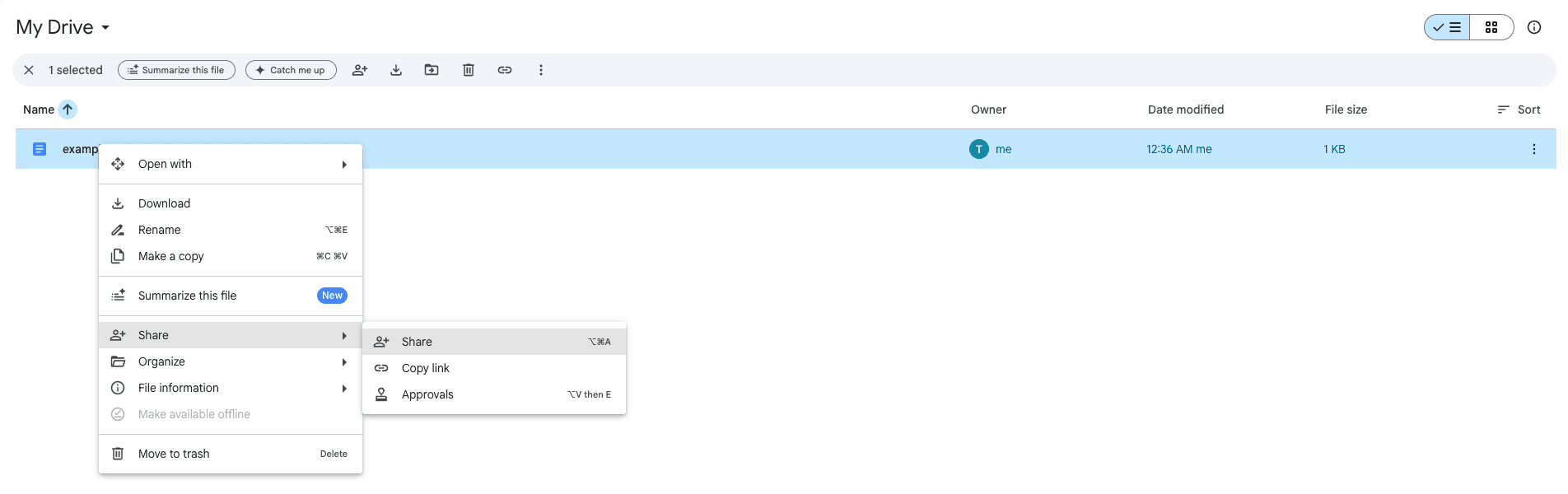
- Right-click on the folder/file you want to share, then press "Share"
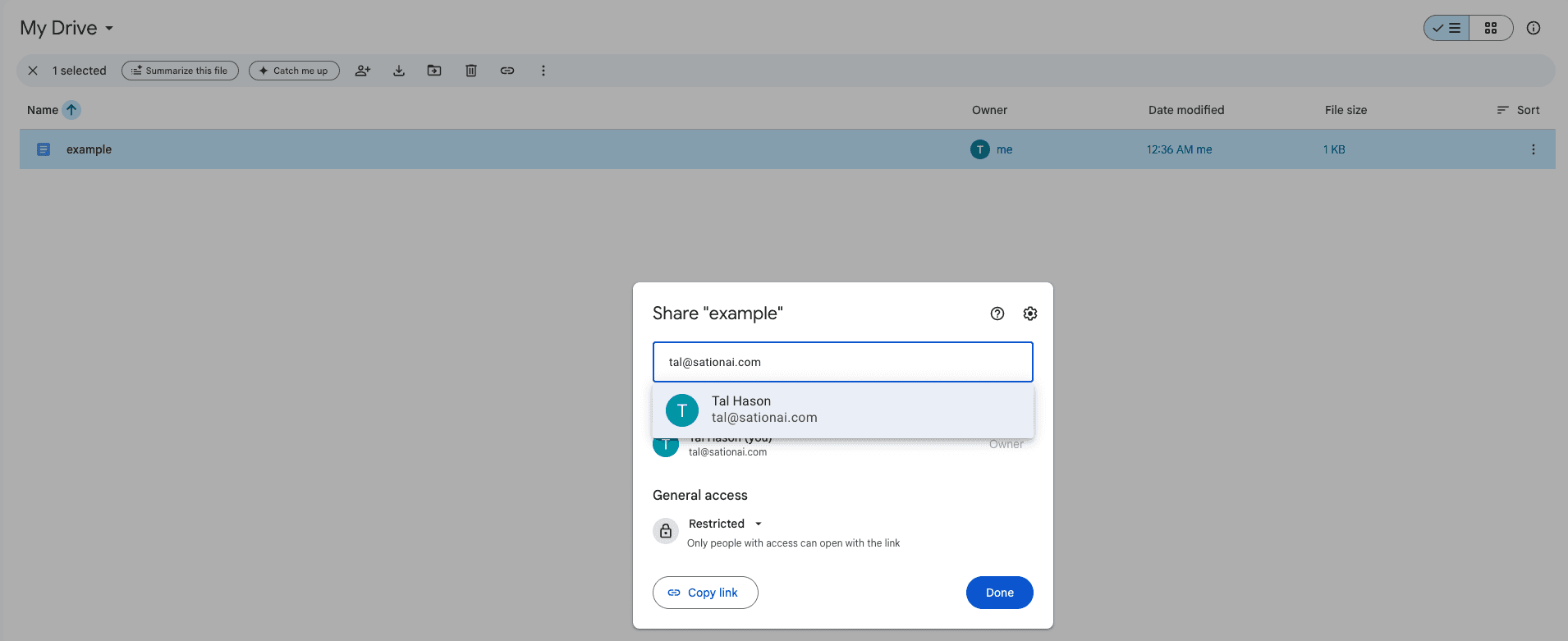
- Enter the Service Account email from step 1
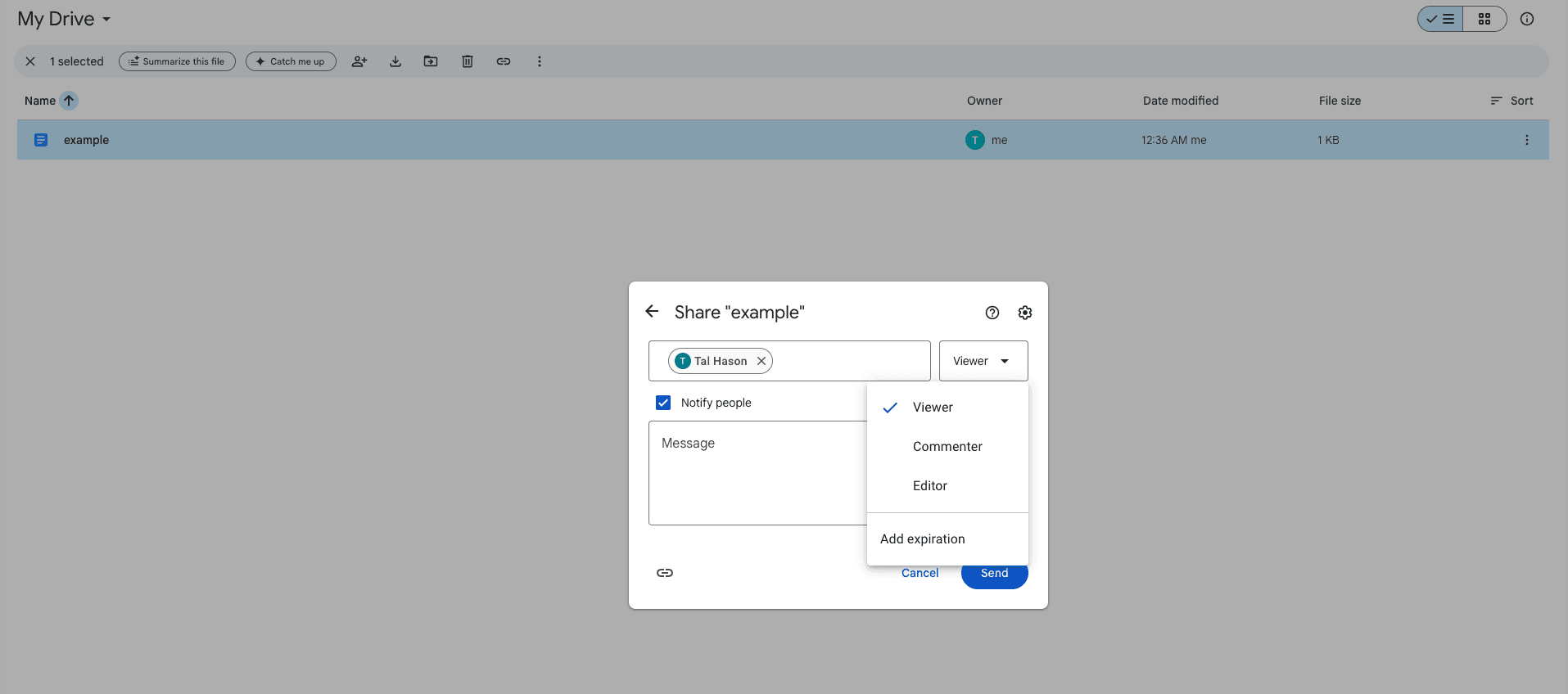
- From the dropdown, select "Viewer" and press "Send"
Finish Backdrop Configuration
Notify your sales rep that you have finished adding files/folders.
Need help? Contact us at support@getbackdrop.ai.
Confluence Integration: Use Pages as Knowledge Sources
Connect your Confluence spaces and pages to Backdrop as knowledge sources. Read-only access, no write permissions. Supports multi-site Atlassian accounts.
Gong Integration: Connect Call Recordings to Backdrop
Step-by-step guide to connect Gong with Backdrop. Get your API key and base URL from Gong Admin Center, then link call recordings to power real-time answers.