
Getting Started with Backdrop: Setup Guide
Download Backdrop and set up your first AI-enabled sales call in minutes. Install the app, connect your calendar, and get real-time guidance on every call.
Backdrop is an AI sales coach that lives inside your calls. It listens and surfaces the right discovery question, objection handler, or product answer the moment you need it, so you can stay in the conversation instead of scrambling for notes.
Three short steps and you're ready for your first call.
1. Install and sign in
Run the installer and accept the defaults. Open the invite email from Backdrop, click Accept Invitation, and create your account. Google sign-in is fastest, or set a password if you're on Microsoft 365.
Can't find the invite email?
It sometimes lands in spam. Move it to your inbox before clicking, since some email clients block links in spam messages.
Full walkthrough: Installing Backdrop
2. Run your first call
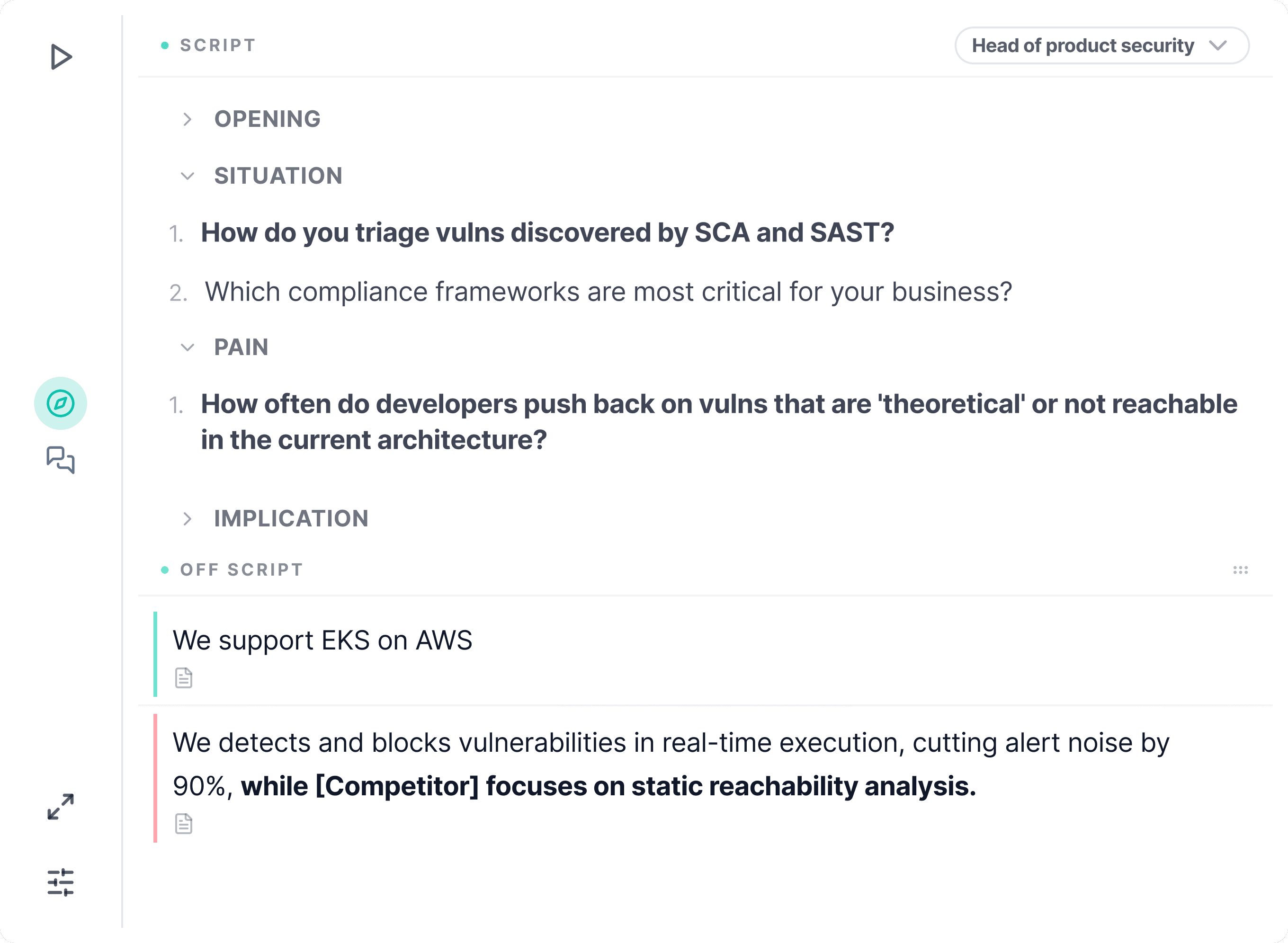
Backdrop doesn't auto-start with Zoom or Teams. Open it manually, or wait for the notification when a call begins. Once it's running, you'll see two panels:
- Discovery panel: on-script SPIN questions by persona, with AI-picked follow-ups
- Product Insights: off-script answers for objections, competition, and product questions, each grounded in a source document you can click to open
Full walkthrough: During a Call
Sharing your screen?
We strongly recommend a dual-monitor setup and sharing a specific window (not your whole screen), so the prospect never sees Backdrop. If you only have one screen, turn on Hide from Screen.
3. Review after the call
When you hit stop, Backdrop generates a call summary, MEDDPICC qualification, and a draft follow-up email tailored to your product. Nothing sends automatically. You review and edit first.
Full walkthrough: After a Call
What to expect in week one
Backdrop is a new kind of tool, and like ChatGPT, it takes two or three calls before it clicks. Use the first call to get comfortable with where things are. By call three, most reps stop tab-switching entirely and run deeper discovery without thinking about it.